90 minutes of footage. Thirty minutes of interview, an hour of B-roll, a film about a restaurant owner. I put it all into DaVinci Resolve, pressed a button, went off to a client call, then to lunch. When I came back, the footage was organized, the interview cut line by line, the talking points sorted into chapters, and a first cut was waiting in the timeline. That button is FULLCUT, the editing assistant we built at SIGNS and are launching this week.
I showed everything in a thirty-minute demo recorded in our editing room (in French). Here is the gist: why we built it, what the button does, and what it doesn’t.
Claude inside DaVinci Resolve: it works, and we hit three walls
Like many editors, I hooked up Claude and ChatGPT to DaVinci Resolve. Through the Resolve API it connects, it cuts, and it’s not bad at all. We used it for months. But we hit three walls.
The first: it doesn’t necessarily see all your images. The second: it doesn’t know what an editing method is, an artistic vision, a change of rhythm. Without a dozen prompts and a whole folder of explanation files, the result stays average, and between two edits you have to start almost from scratch. The third, even once it understands the client and the brief: it doesn’t understand your style, the way you cut, slow or kinetic.
What the button does
FULLCUT is an interface between DaVinci Resolve and you. It fits in a small window with a play button. You click, and there’s nothing left for you to do: it watches your footage, works out the type of project (internal or external communication, ad, music video, show, multicam) and picks the editing style to match.
Clean organizes the project: Timeline, Footage and Elements folders, interviews on one side, B-roll on the other. Derush cuts the interview line by line and places chapter markers. It sorts the B-roll by shot size and action: wide shots, medium shots, close-ups on a detail. On a two-camera interview, it matches the wide and the tight shot. Then come the First Cut, a V0 of the story with its subtitles, and the Next Cut, with B-roll, music and sound effects.
It’s a beta, and I’d rather say it: it still makes mistakes. In the demo, it slips a B-roll shot into the interview folder, and the sound effects aren’t there yet. But then I work on it for half an hour and get a result I find really good. All the tedious part of editing is done.
An AI studio inside the timeline
FULLCUT is also an AI studio: video, image, voice and music generation, plugged straight into your editing software. You use your own subscriptions, or ComfyUI locally with your workflows. You take a shot from Resolve, work on it in FULLCUT, and it comes back into the media pool, with no manual exports or imports. One tool even turns a shot filmed in 16:9 into 9:16 by rebuilding the image at the top and bottom, instead of cropping.
Your style
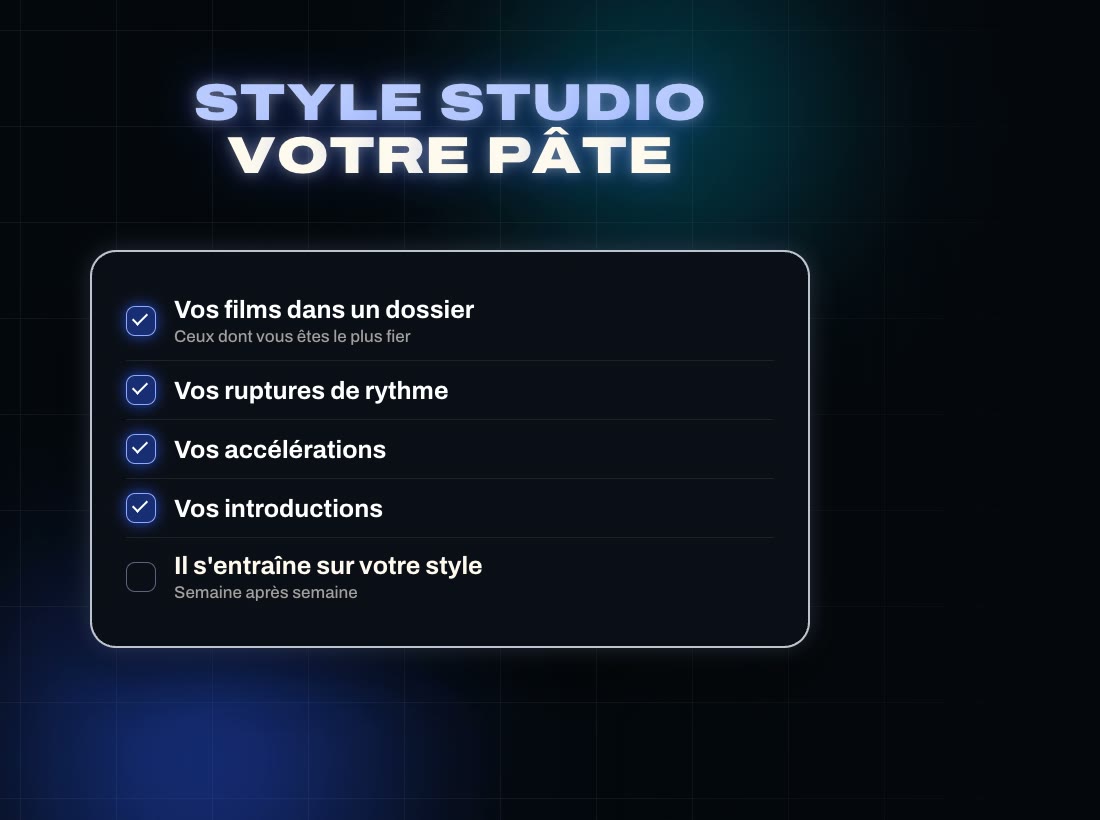
This is the part I care about most. No two editors cut the same way. In Style Studio, you give FULLCUT the films you’re proudest of. It studies your rhythm breaks, your accelerations, your openings, and tries to reproduce them in the edits it suggests, a little better week after week. It’s a promise it is starting to keep, not yet a guarantee.
What it doesn’t do
It doesn’t make the film for you. It does the tedious part, and the choices stay yours. We built it to give editors their evenings back: we give you the full cut, you keep the final cut.
The beta, the price, what’s next
FULLCUT runs today in DaVinci Resolve Studio on Windows. The Mac version is on its way, and versions for Premiere, Final Cut and Avid are being built. During the beta it costs €39 excl. VAT, a launch price valid until 1 December 2026, updates included. You can also try it free for 14 days, no card. Everything is on fullcut.ai.
It’s also a community tool: tell us which tools you’re missing, and we’ll build them.
Frequently asked questions
Does FULLCUT replace Claude or ChatGPT?
No. FULLCUT has its own AI, which runs locally on a computer with 12 GB of video memory, and you can plug in Claude or ChatGPT if you prefer. In our tests we see no difference in editing quality between the two. What FULLCUT adds is the method: it knows what editing is.
Which editing software does FULLCUT work with?
Today, DaVinci Resolve Studio on Windows. A Mac version is in the works, and versions for Premiere, Final Cut and Avid are being built.
How much does FULLCUT cost?
€39 excl. VAT during the beta, a launch price valid until 1 December 2026, updates included. The trial is free for 14 days, no card.
Which languages does it work in?
It is most accurate in French, English and Spanish. It works in other languages, with less accuracy for now.